An app that adapts to every student
Dyslexia, ADHD, dyscalculia, autism, low vision, blindness, gifted students and ten more supports. Each one changes what needs changing —the exam, the grading, the PDF or daily practice on the phone— and keeps the same learning goal as the rest of the class.
- supports, each with its research base
- 17supports, each with its research base
- places they act: exam, grading, PDF and app
- 4places they act: exam, grading, PDF and app
- with VoiceOver, TalkBack and voice dictation
- iOS + Androidwith VoiceOver, TalkBack and voice dictation
- languages in the app interface
- 9languages in the app interface
In the student app
The same session, adjusted to whoever is doing it
Schools turn supports on in the student profile and families in “How they learn”. The app applies them in every exercise, with nothing for the child to set up.
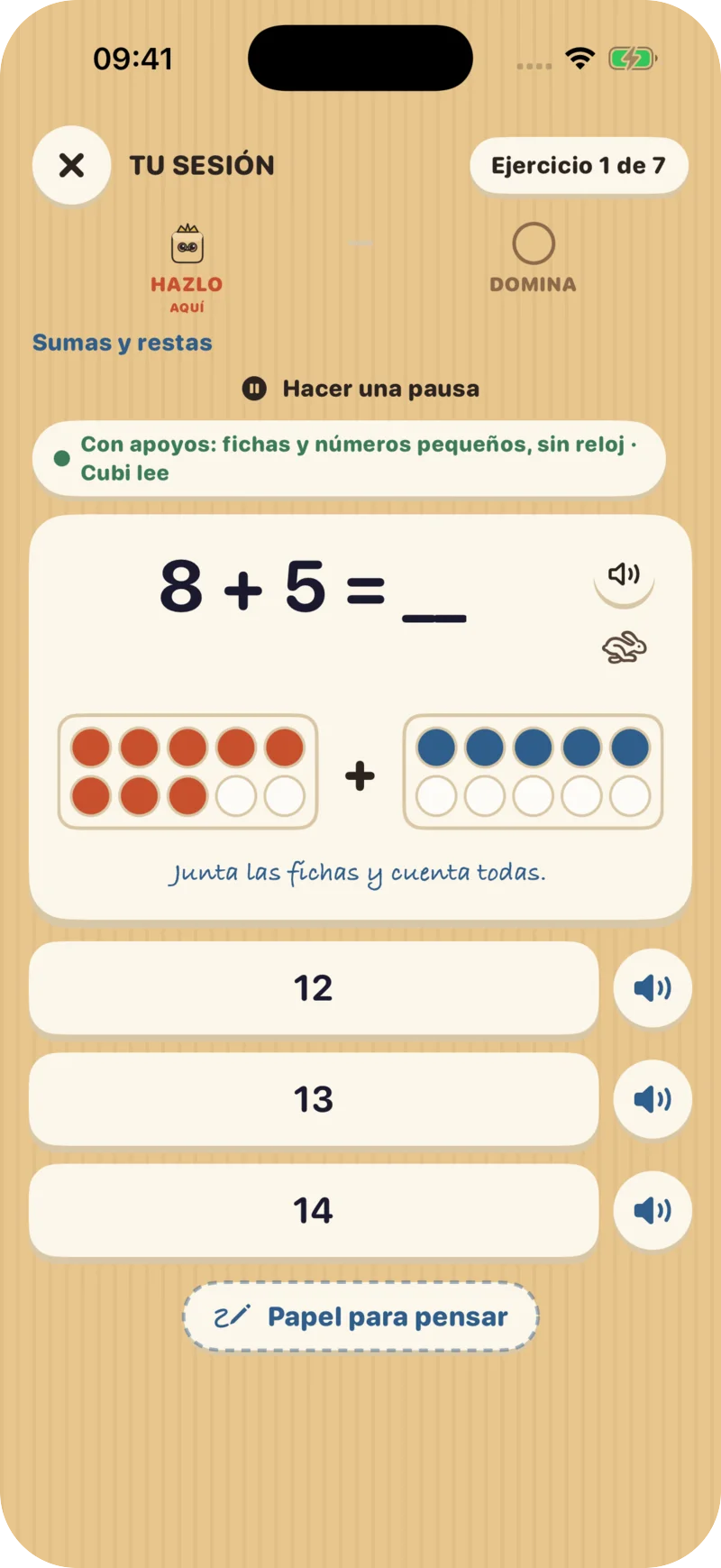
Dyscalculia: counters and models for every operation Low vision: very large print and high contrast 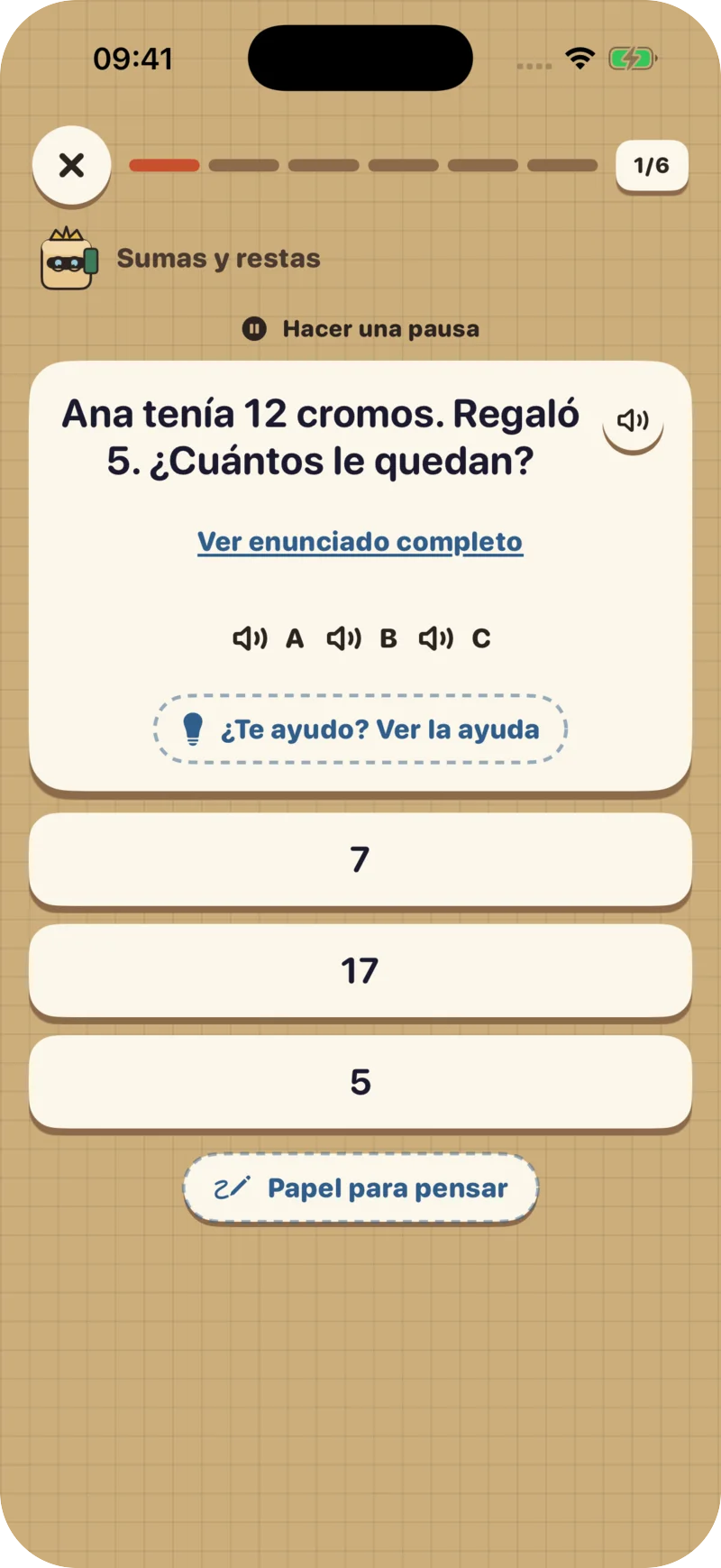
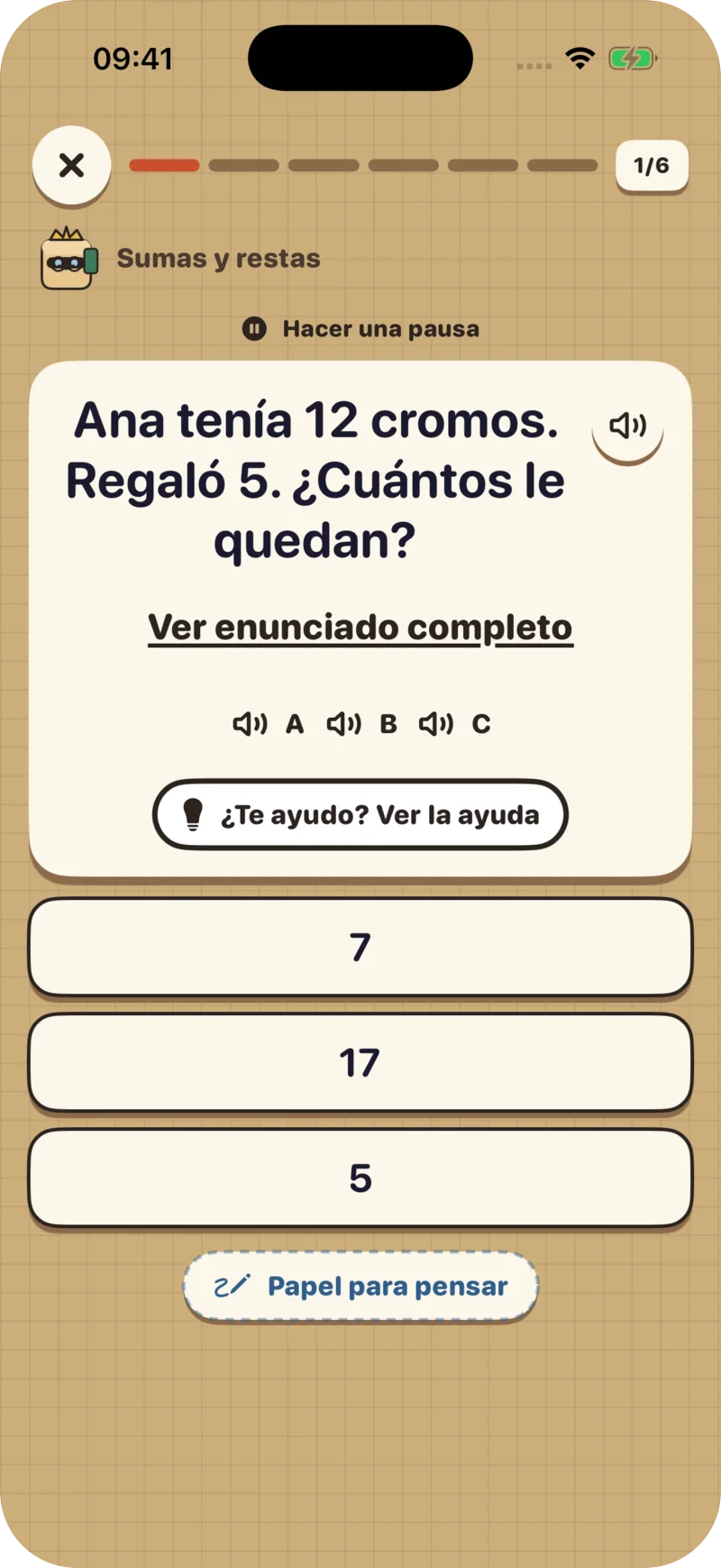
Short question, original one tap away 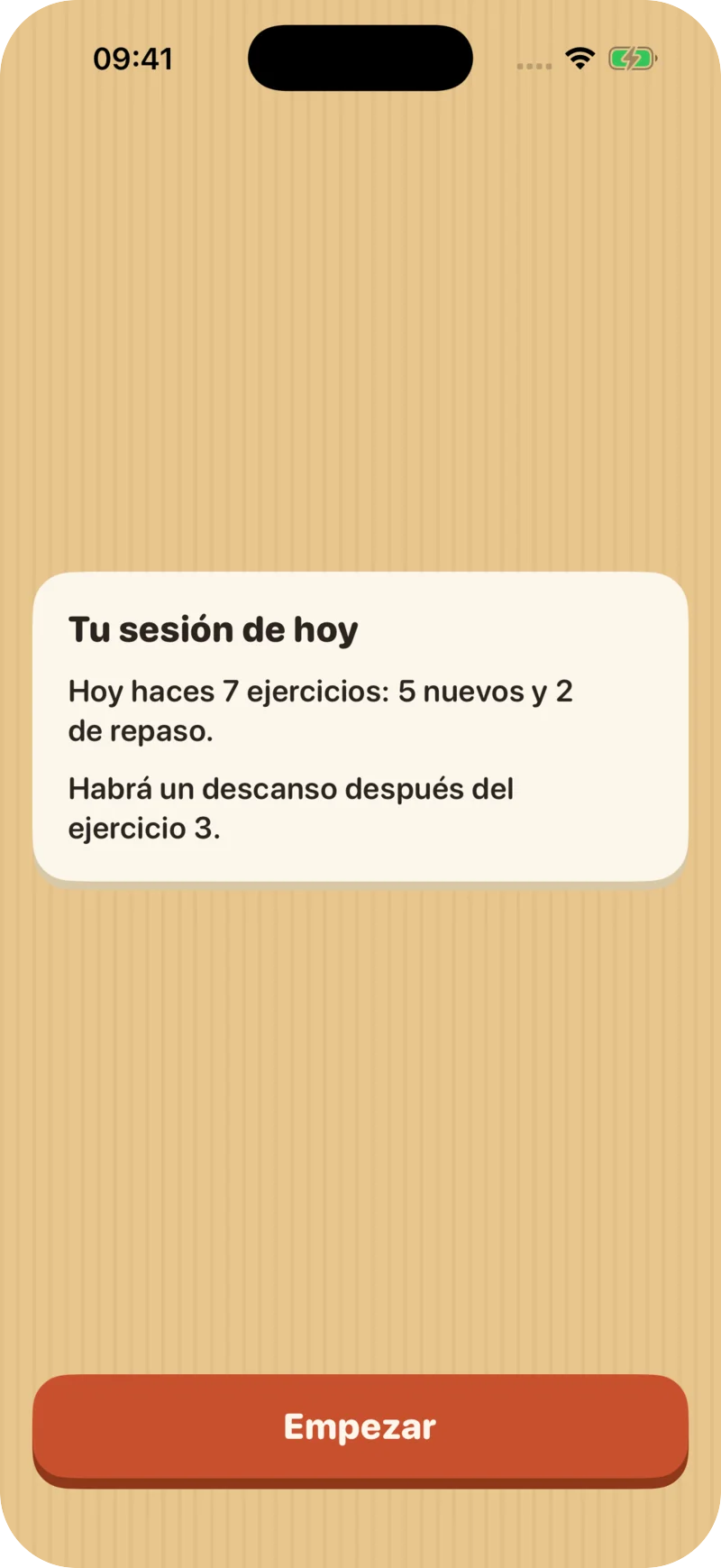
Autism: the session agenda before starting 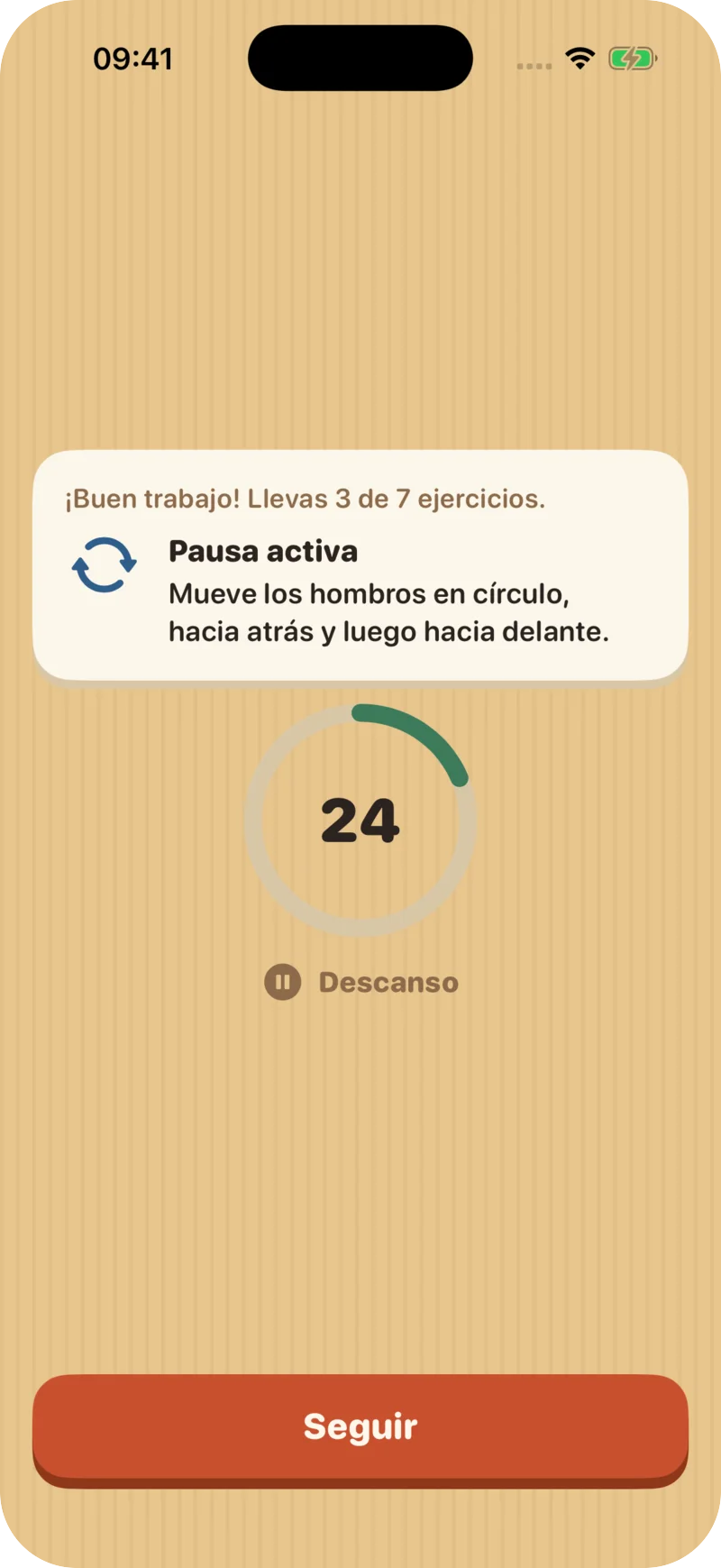
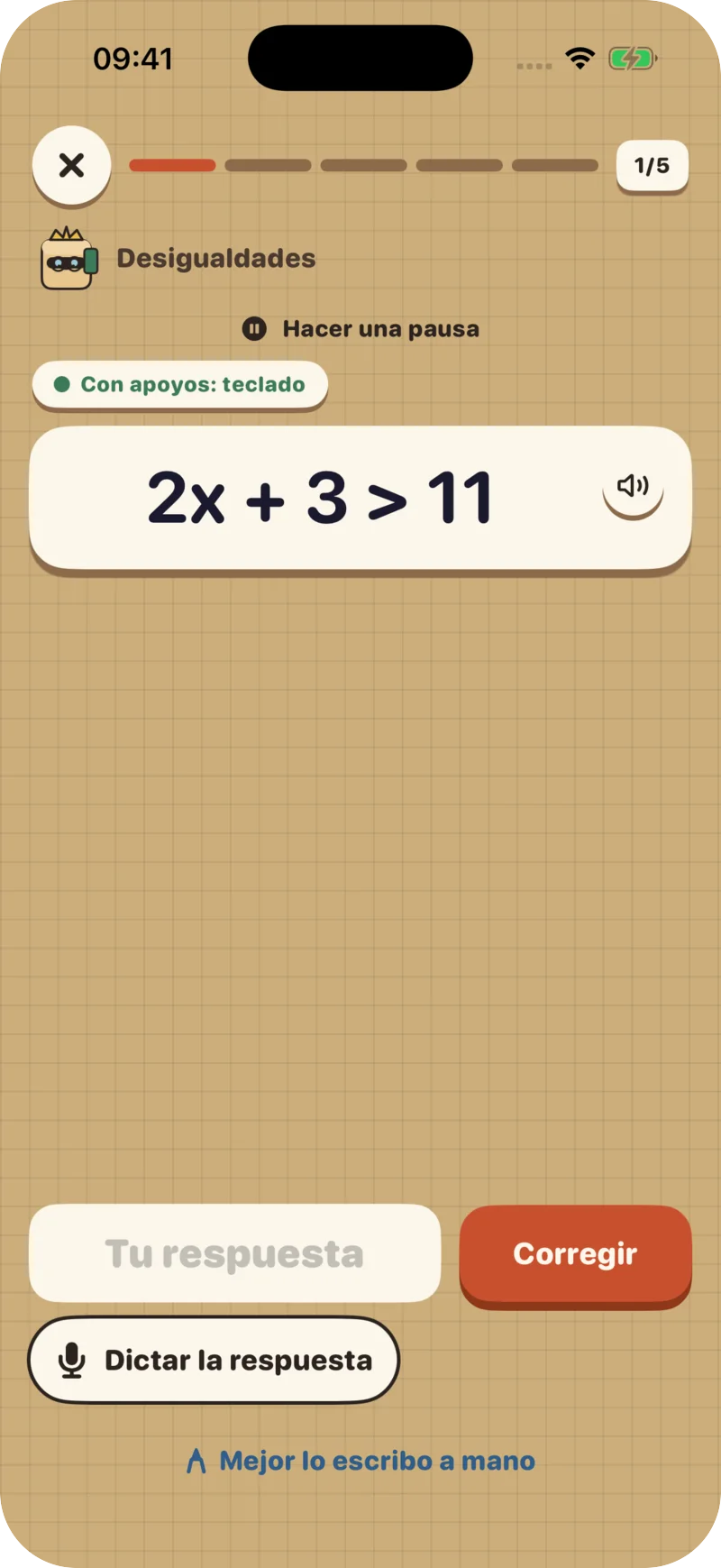
ADHD: a 30-second movement break Dysgraphia: keyboard and on-device dictation
Accessibility
Built for students who cannot see, hear or write by hand, too
VoiceOver and TalkBack
On iPhone and Android, the screen reader reads the question, the drawing’s description, the options (with their sign: “−3” is never read as “3”) and whether the answer is right.
On-device dictation
Students say their answer and check it before sending. Speech is recognized on the phone (iPhone and Android 12 or later) and the audio never leaves it.
Zoom and image descriptions
Drawings zoom up to 4× and each has a checked description that never invents data or gives away the answer.
Text that grows without clipping
It follows the phone’s text size, including accessibility sizes: text never clips and buttons grow with it.
Easy-to-tap buttons
Every button is 44 pt or more (48 dp on Android) and anything you drag can also be done with two taps.
Cubi’s captions and voice
Cubi reads aloud, more slowly if needed, always with captions. Every right or wrong sound has an icon and text.
Short question, original one tap away
Questions are shortened keeping every number and fact; if that cannot be guaranteed, the original is shown. “See full question” is always at hand.
Picture instructions
For children who cannot read yet, each exercise shows a pictogram of what to do: count, join, take away, compare, order…
In CYC exams
One exam per student, with the same goal
When exams are downloaded per student, each one gets their own version: AI adapts the text and a second check confirms that every question is solved exactly like the original. If that cannot be guaranteed, the student gets the original question. The PDF changes the typography and records the access arrangements in writing.
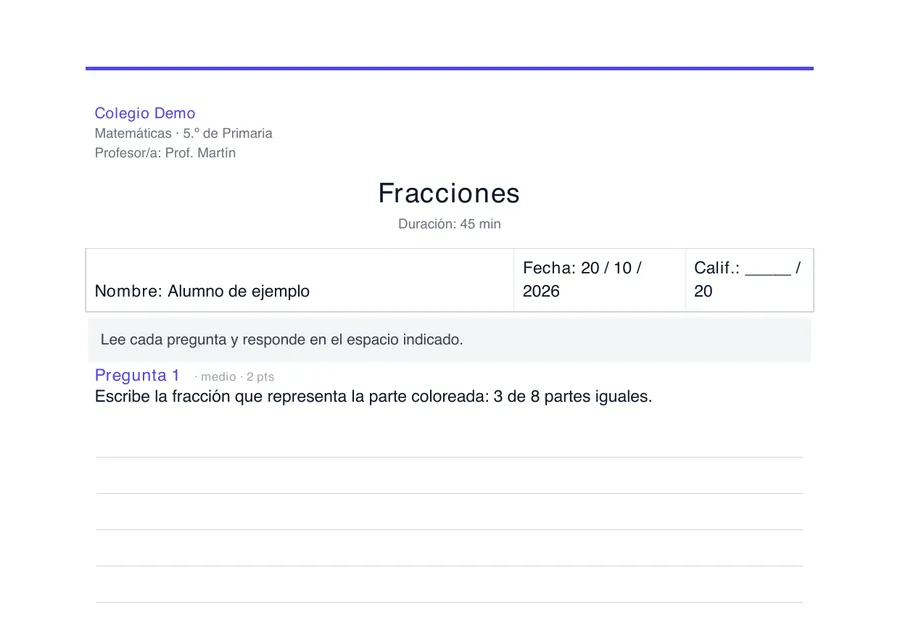
The class exam
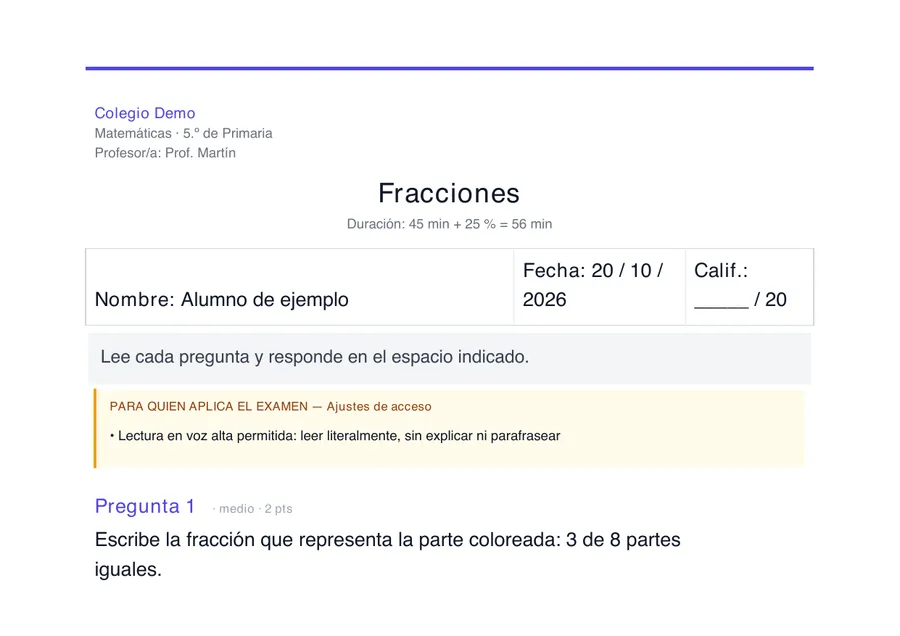
Dyslexia: sans-serif type, short lines and literal read-aloud for the invigilator
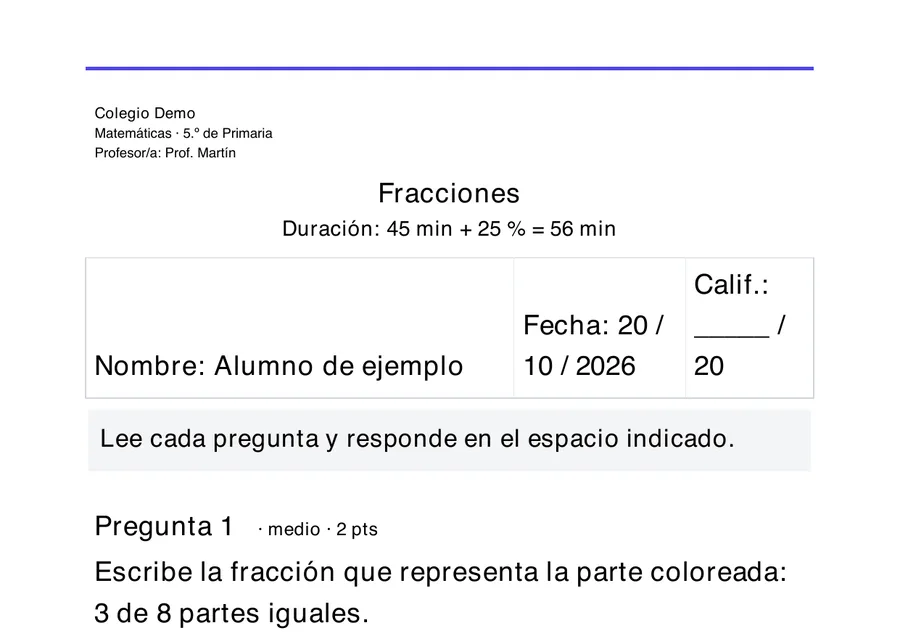
Low vision: 18 pt bold, all in black
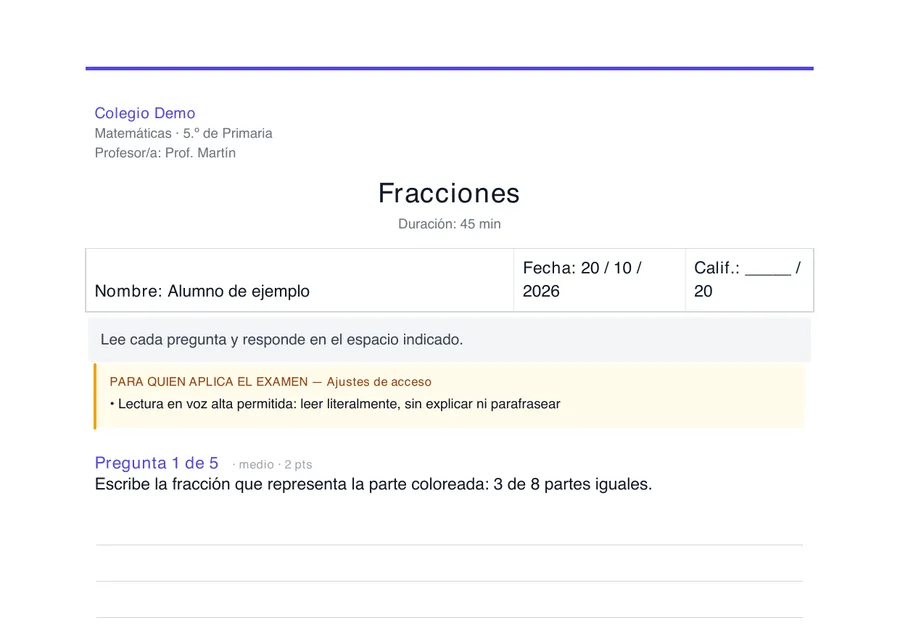
ADHD: “Question 1 of 5” and a space for each part
Access is not lowering the bar
Only a significant curriculum adaptation changes the content, always at the level set by the school. Every other support changes the format, not what is assessed.
Extra time when justified
+25% recorded on the PDF where the evidence supports it. Never by default for ADHD, where structure is what helps.
Gifted students are never penalised
The same rubric as the class plus extension questions that are assessed separately and never subtract.
The teacher decides
Teachers can review and edit every version before printing. Only one extra generation is charged per student with supports.
One by one
The 17 supports and what each one does
Open a support to see what changes in the exam, the grading, the PDF and the app. In quotes, how families ask for it when signing up for MathCracks at Home.
Reading and vision
Dyslexia«Finds reading hard»
- Exam
- Short sentences and data in lists. Same task, same data and same steps as the class.
- Grading
- No penalty for spelling, accents or copying errors.
- Sans-serif type of 13 pt or more, 1.5 line spacing, lines of at most 70 characters and +25% time.
- App
- Read-aloud, large print and shorter questions. Word answers accept a one-letter slip.
- Research base
- Wood et al., 2018
Low vision«Has poor sight or needs very large print»
- Exam
- Nothing depends on color or position alone; diagrams with few labels and simple tables.
- Grading
- Same as the class.
- Bold type of 18 pt or more, everything in black and +25% time.
- App
- Questions at 28 pt or more, large options, high contrast, zoom on drawings and a description of each drawing.
- Research base
- Legge y Bigelow, 2011; WCAG 2.2
BlindnessTurned on by the school
- Exam
- Everything works as text alone: drawings and tables become described data, with no “look” or colors.
- Grading
- Accepts transcribed oral answers, keyboard or braille, with no penalty for format.
- Besides the PDF, an accessible HTML version for screen readers and a text version for braille; +50% time.
- App
- Works with VoiceOver and TalkBack: it reads the question, the drawing, the options and the result. Answers by keyboard or dictation, with no timer. Tracing exercises say that they need sight.
- Research base
- Klingenberg, Holkesvik y Augestad, 2019
Reading comprehension difficulty«Finds reading hard»
- Exam
- Simplifies everyday language, never the technical terms, and puts the question last.
- Grading
- Accepts brief answers.
- Short lines and generous spacing.
- App
- Read-aloud, large print and a short question with the data in a list.
- Research base
- Haag et al., 2013
Read-aloud«Finds reading hard»
- Exam
- The exam does not change.
- Grading
- Grading does not change.
- A note for whoever gives the exam: read literally, without explaining or paraphrasing.
- App
- Cubi reads the questions and options aloud.
- Research base
- Buzick y Stone, 2014
Communication and language
Autism (ASD)«Needs to know what comes next»
- Exam
- Literal language, always the same term and an explicit answer format.
- Grading
- Accepts the literal reading and does not penalise handwriting.
- “There are N questions” at the start and “End of the exam” at the end.
- App
- A session agenda at the start, no surprise animations and literal feedback messages.
- Research base
- Hume et al., 2021
Developmental language disorder«Finds language hard»
- Exam
- Simple sentence structure, conditions in a separate sentence and always the same term.
- Grading
- No penalty for grammar or vocabulary.
- Generous line spacing.
- App
- Short questions, a glossary of key words and synonyms accepted.
- Research base
- Bishop et al., 2017 (CATALISE-2)
Hearing impairmentTurned on by the school
- Exam
- Clear written language, information before the question and no sound-based contexts.
- Grading
- No penalty for grammar; drawings accepted.
- A note to give instructions in writing and allow an interpreter; +25% time.
- App
- Nothing depends on hearing: Cubi has captions and every sound has an icon and text. Sign-language videos are being recorded with Deaf associations.
- Research base
- Qi y Mitchell, 2012; Cawthon y Leppo, 2013
Spanish as a second language«Spanish is not their first language»
- Exam
- Plain language and a glossary of 2 to 4 everyday words; it never defines what is being assessed.
- Grading
- No penalty for Spanish; answers in the home language are accepted.
- A note saying “May answer in their home language” and +25% time.
- App
- Short questions and a tap-to-translate glossary. Accepts numbers written in English, Portuguese, French, Italian, Arabic or Chinese.
- Research base
- Kieffer et al., 2009
Numbers and level
Dyscalculia«Struggles with numbers»
- Exam
- The same goal with simpler numbers; a calculator only where calculation is not assessed.
- Grading
- If the method is right and only the arithmetic slips, at least 75% of the question is guaranteed.
- A note that a calculator is allowed where indicated.
- App
- Visual models (counters, bars, number line) while needed, smaller numbers at the start of each step and no timer.
- Research base
- Fuchs et al., 2021; guía IES/WWC
Intellectual disability / modified curriculumTurned on by the school
- Exam
- The only support that changes the content: it moves to the level of the curriculum adaptation, with easy-read text and one task per question.
- Grading
- Against the adaptation’s criteria; accepts drawings, single words or pointing.
- Type of 14 pt or more and 1.5 line spacing.
- App
- A ladder of help (re-read, model, worked example, first step) and progress at 80% accuracy.
- Research base
- Browder et al., 2008
Gifted and talented«Gets bored and wants more challenge»
- Exam
- The same questions plus 1 or 2 extension questions at the end.
- Grading
- The same rubric; the extension is assessed separately and never subtracts.
- An “Extension · assessed separately” section.
- App
- An optional challenge after each session that does not count towards progress. At home, a test to skip steps; at school, a progress proposal for the teacher.
- Research base
- Steenbergen-Hu, Makel y Olszewski-Kubilius, 2016
Attention and pace
ADHD«Finds it hard to stay focused»
- Exam
- Numbered parts, an action verb first and nothing decorative.
- Grading
- An answer written in another question’s space is graded where it belongs.
- “Question n of N” and a space under each part. No extra time by default.
- App
- Short blocks of exercises with 30-second movement breaks (which can be skipped) and no distractions.
- Research base
- DuPaul, Eckert y Vilardo, 2012
Slow processing speed«Needs to go at their own pace»
- Exam
- No superfluous text; questions that repeat a criterion are marked optional.
- Grading
- A blank optional question does not subtract.
- +25% time and a note on optional questions.
- App
- No timer: progress by accuracy, with short questions and a per-session minute cap at home.
- Research base
- Lovett, 2010; Gregg y Nelson, 2012
Extra time«Needs to go at their own pace»
- Exam
- The exam does not change.
- Grading
- Grading does not change.
- “Duration: X min + 25% = Y min” (50% if the school records it).
- App
- Flexible pace, no timer.
- Research base
- Sireci, Scarpati y Li, 2005
Writing and movement
Dysgraphia«Finds handwriting hard»
- Exam
- Short answers; may answer orally or with a diagram.
- Grading
- No penalty for handwriting or strokes.
- Wider lines and a note allowing oral answers or a scribe.
- App
- Keyboard by default (except tracing exercises), on-device voice dictation and “Did you mean…?” when handwriting is unclear.
- Research base
- Graham, 1990
Motor impairment«Finds handwriting hard»
- Exam
- Short answers and no drawing unless drawing is assessed; may dictate the construction.
- Grading
- No penalty for strokes or precision.
- Larger answer boxes and +25% time.
- App
- Keyboard, dictation and large buttons (44 pt or more), no timer; join dots with two taps instead of dragging.
- Research base
- Findlater et al., 2017; Sireci et al., 2005
Privacy and ethics
Adjustments, never labels
Guardian consent
At school, exams are only adapted when the school holds the guardian’s consent, in every country. At home, families give explicit consent when they turn a support on and can remove it at any time.
The app does not diagnose
Supports describe functional adjustments. Clinical labels never reach the child’s session or the AI, and no diagnosis is ever inferred from an adjustment.
Suggestions, not automation
If the app notices that an adjustment might help, it suggests it to an adult. It never switches it on by itself.
Not a substitute for professionals
MathCracks supports teachers and guidance teams; it does not replace a professional assessment.
Want to see it with your students or your child?
It is the same app at school and at home. Tell us what you need.