Learning at home, step by step, with Cubi
A short daily session that adapts to your child, plus exam prep in every subject: they learn with counters and pictures, write by hand as on paper and only move on once they master each step. Ages 5 to 18.
For families in any country · in Spanish and English · iPhone, iPad and Android
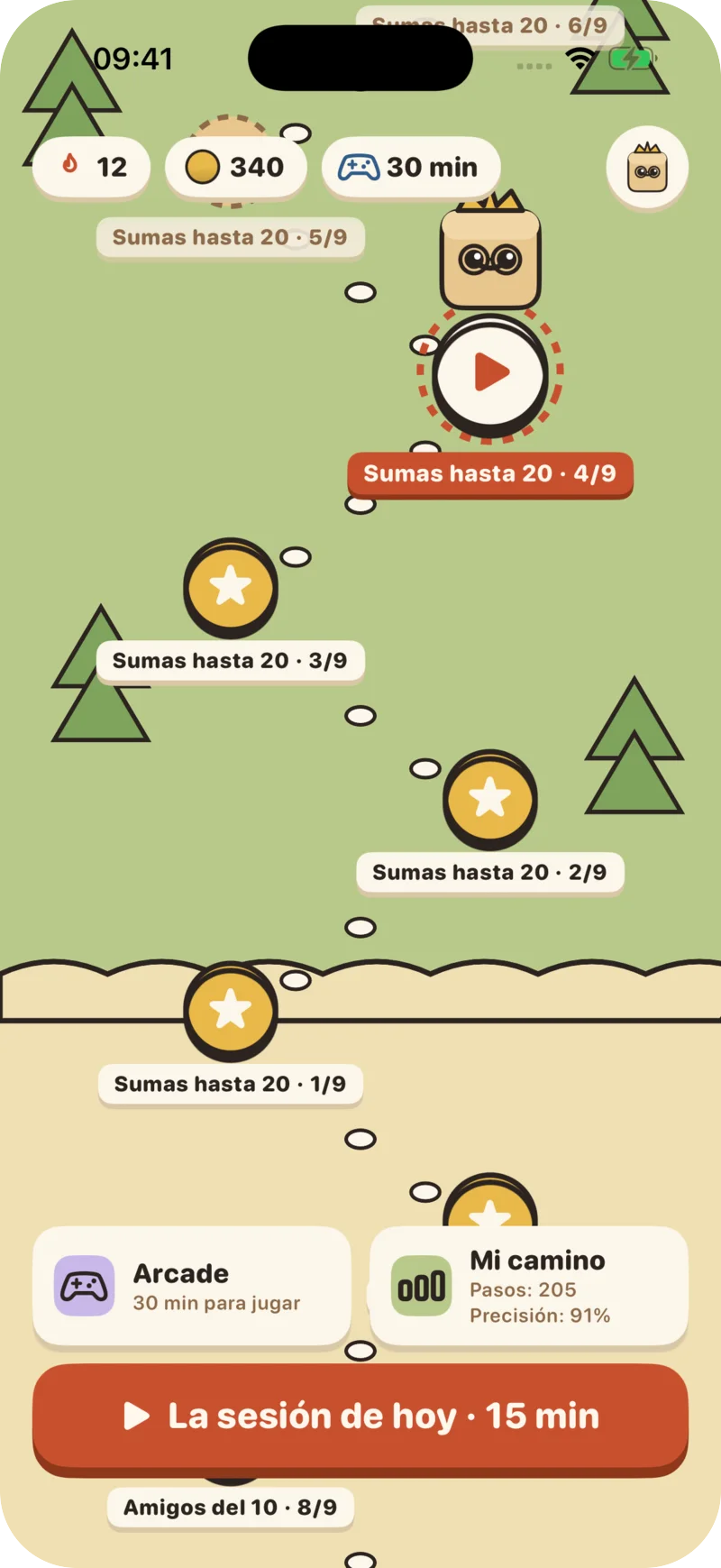
MathCracks at Home on video
Learning at home, step by step, with Cubi.
One short session a day that adapts to your child, handwriting and, on top of that, exam prep in any subject, mock tests and marking with a photo. For families in any country, in English and Spanish.
The MathCracks Method
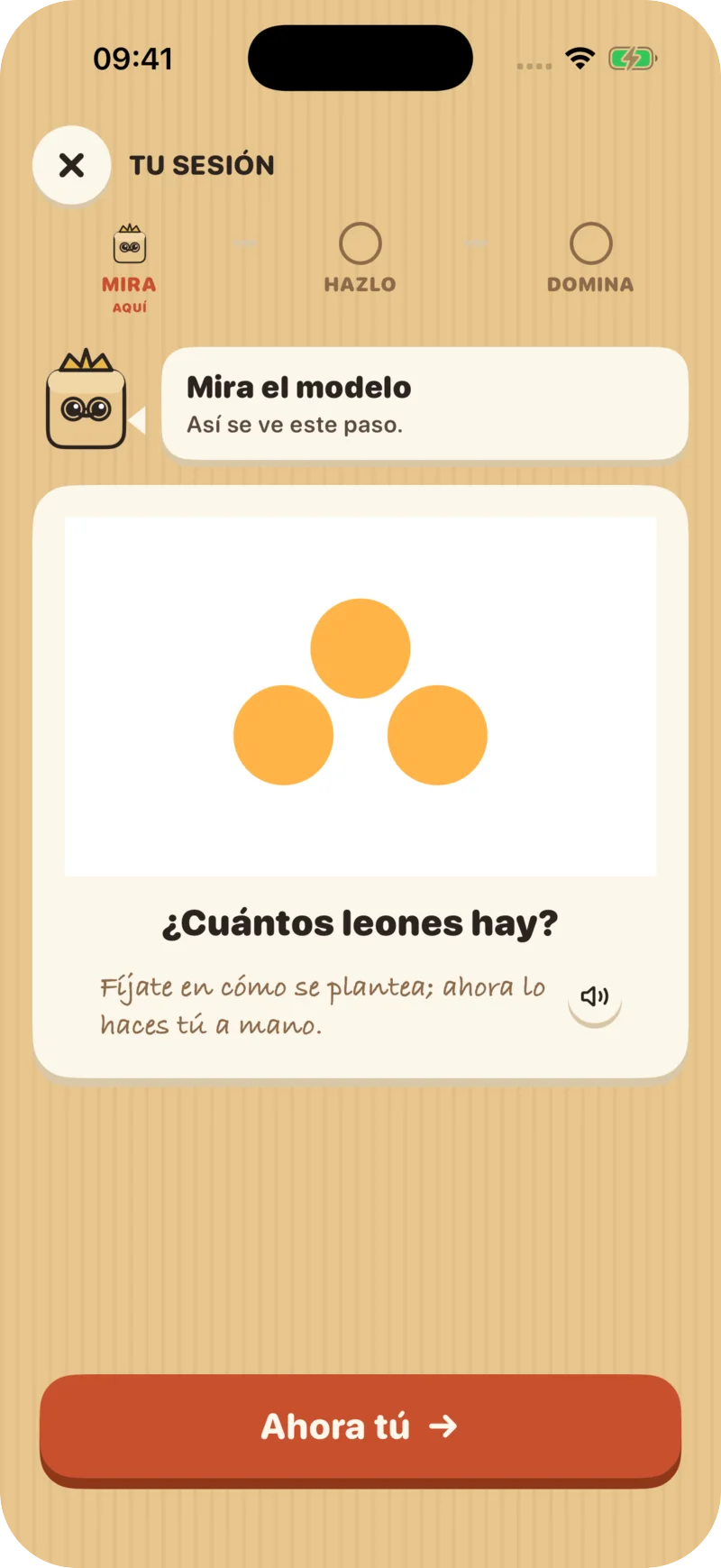
First touch it, then see it, then write it
Every new step starts with a guided lesson and ends when the child truly masters it: answering correctly, fluently and in reasonable time. Each session also reviews earlier steps so they are not forgotten.
- 01
Touch
Counters and objects moved with a finger to grasp the idea.
- 02
See the model
Bars, number bonds and number lines that organize what they touched.
- 03
Do it by hand
Write the answer in the on-screen notebook and the app checks it instantly.
- 04
Master it
Move to the next step only when answers come fluently. If needed, step back without drama.
Grows with your child
Three worlds by age
Up to 9
A cardboard toy with Cubi as a companion, counters and missions.
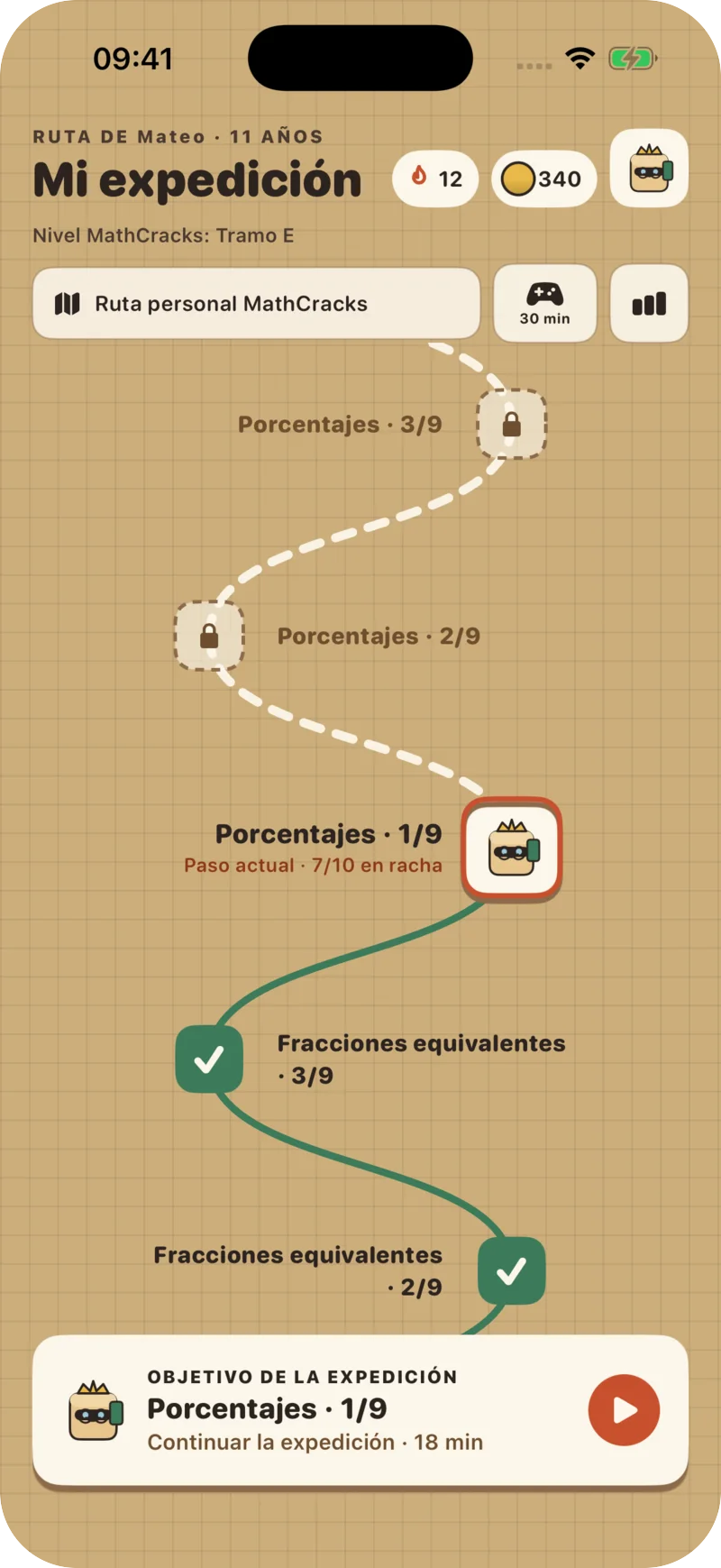
10 to 13
An expedition notebook with challenges and Cubi as an explorer.
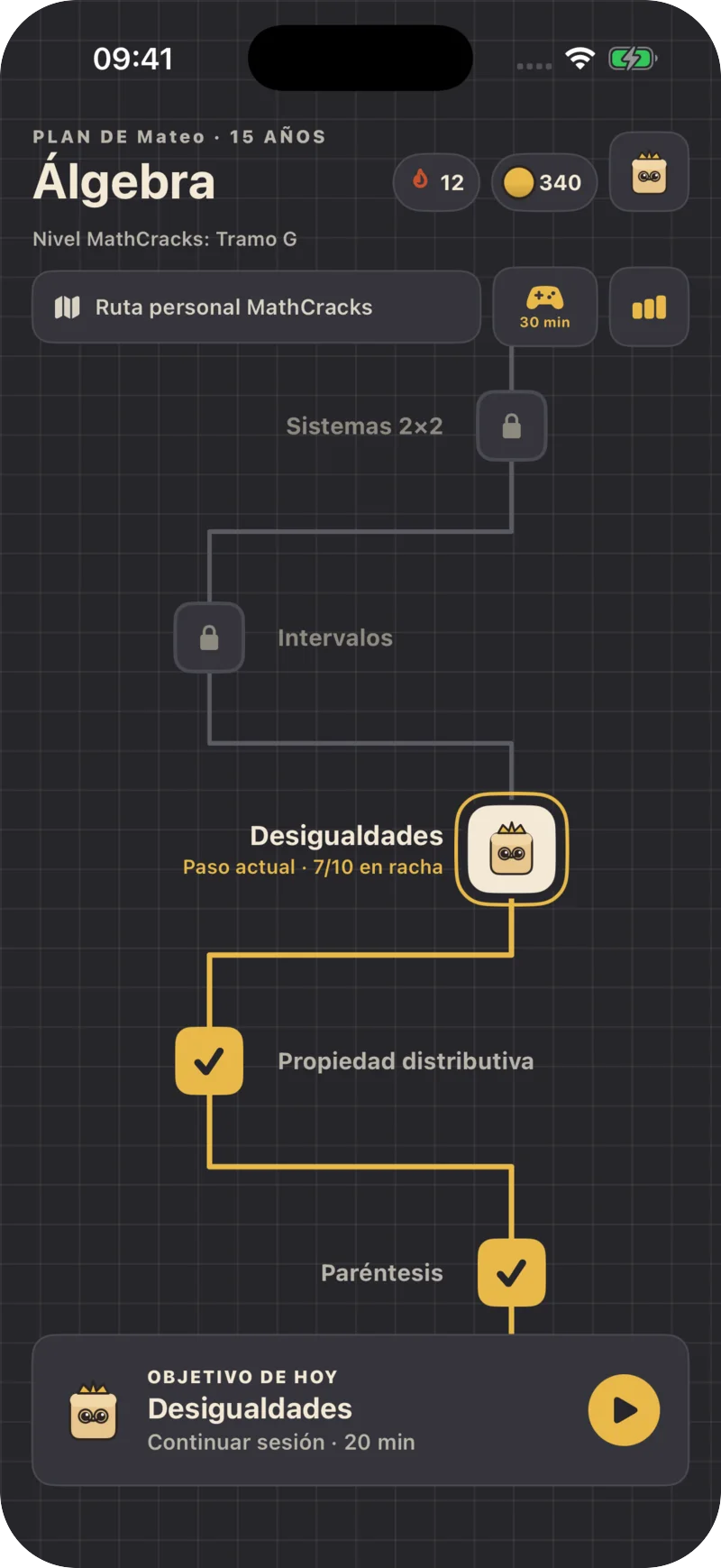
14 and up
A clean study space with clear goals and records instead of stars.
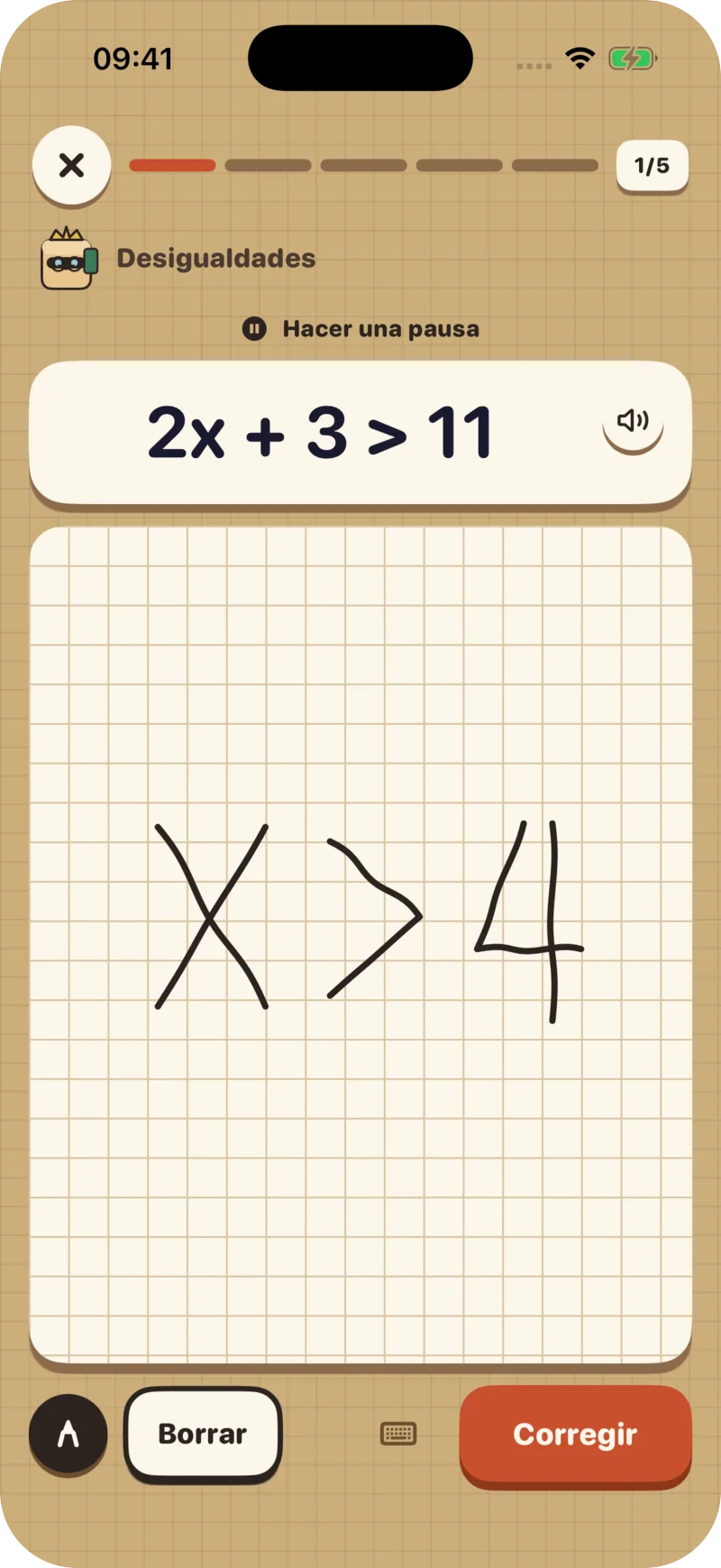
Handwriting
Write as on paper. The app understands.
- Answer with a finger or a stylus; the app reads numbers, fractions and expressions and checks them instantly.
- If handwriting is hard, they can answer by keyboard or by speaking.
- “Scratch paper” to work things out before answering.
Exam prep
And their exams, in any subject
- Add the subject, the date and the topics: the app prepares a little every day and shows what they have mastered and what is still weak.
- Before the exam, a mock test: in the app, with the mark straight away, or on paper, with a photo that Luna marks.
- A worksheet or an exam from their teacher? Mark it with a photo and see every mistake explained.
With the official curriculum of Spain, Mexico, Venezuela, Honduras, Bolivia and Paraguay (in Spanish). Anywhere else, by age, with the topics your child writes.
Wanting to come back tomorrow
Motivation without tricks
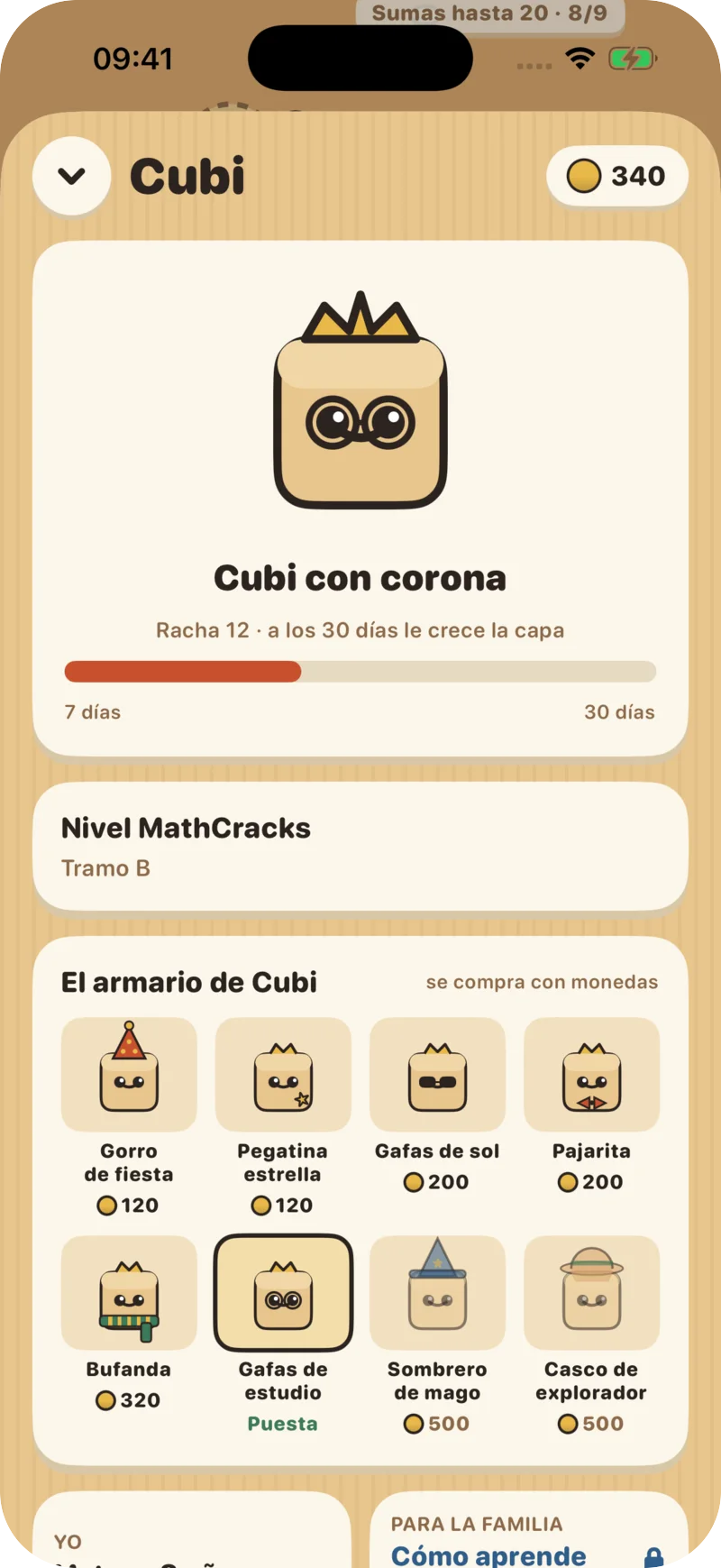
Streak and Cubi
Cubi grows with consistency: a crown after 7 days in a row and a hero cape after 30.
Daily missions
Three missions a day and a chest of coins to dress Cubi.
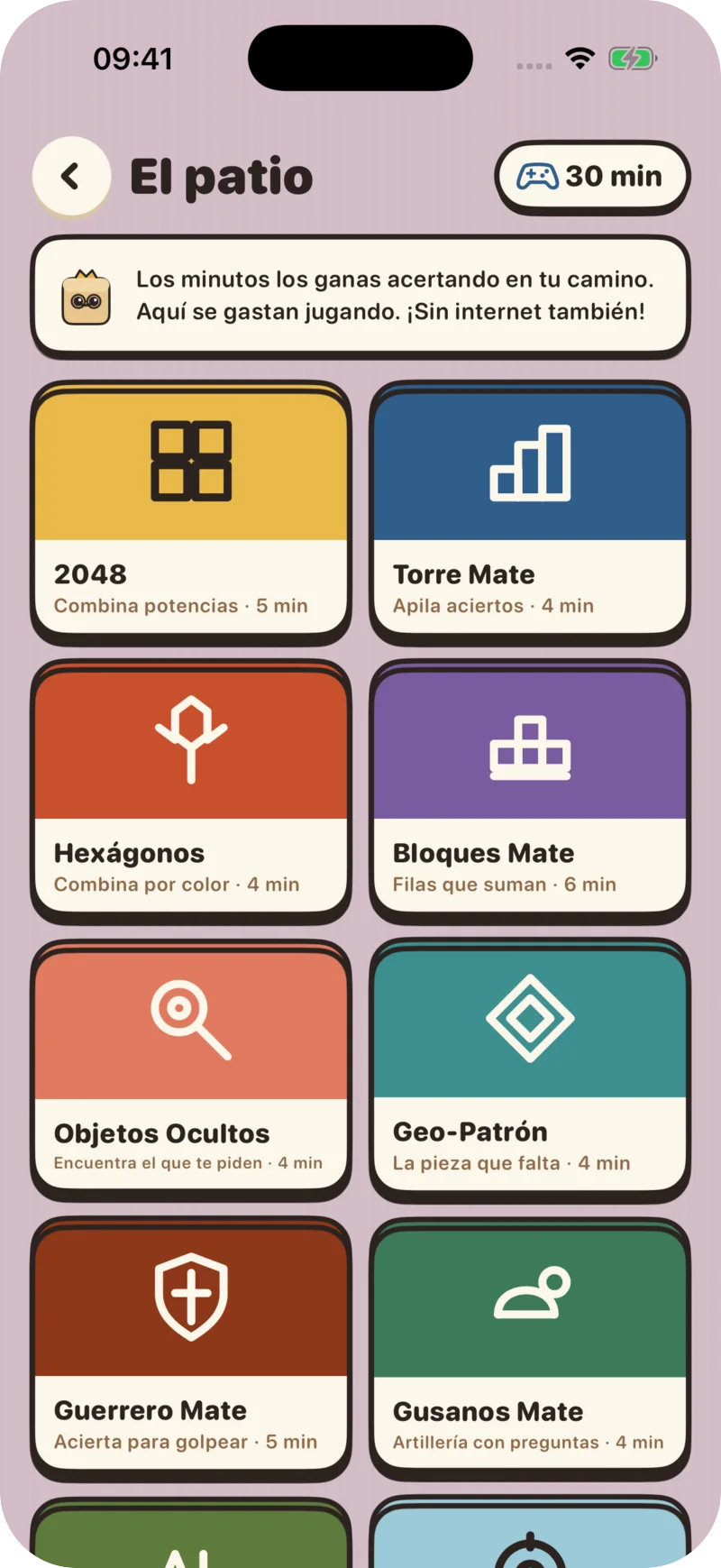
Arcade
14 games unlocked with minutes earned by answering correctly.
No ads, no chat
No ads and no chat with strangers. Coins cannot be bought: they are only earned by practicing.
“How they learn”: nine questions, no diagnosis
At sign-up, and later whenever you like in the adult area, you tick what your child finds hard. The app adjusts every session: it reads aloud, enlarges text, draws the numbers, schedules breaks or lets them answer by keyboard and dictation. It works with VoiceOver on iPhone and TalkBack on Android.
«Finds reading hard»
Read-aloud, large print and short questions
«Has poor sight or needs very large print»
Very large print and high contrast
«Struggles with numbers»
More helper drawings, smaller numbers and no timer
«Finds it hard to stay focused»
Short sessions in two blocks, with a movement break
«Finds handwriting hard»
Answers by keyboard or dictation unless the exercise is about tracing
«Needs to go at their own pace»
No timer: progress by accuracy alone
«Needs to know what comes next»
An announced session, no surprises and literal feedback
«Spanish is not their first language, or language is hard»
Key words explained under the question
«Gets bored and wants more challenge»
An optional challenge after each session
The whole path
From counting to 10 to the doors of calculus
Ten worlds with hundreds of small steps. Every child starts where they can succeed and moves at their own pace, with no school calendar.
- 01
Numbers to 10
5–6 years
- 02
Numbers to 100
6–7 years
- 03
Adding and subtracting to 20
7–8 years
- 04
Bigger calculations
8–9 years
- 05
Times tables and division
9–10 years
- 06
Fractions and decimals
10–12 years
- 07
Integers, powers and proportion
12–14 years
- 08
Algebra
14–16 years
- 09
Systems and functions
16–17 years
- 10
The summit: towards calculus
17–18 years
For the family
You know what they do and how it is going
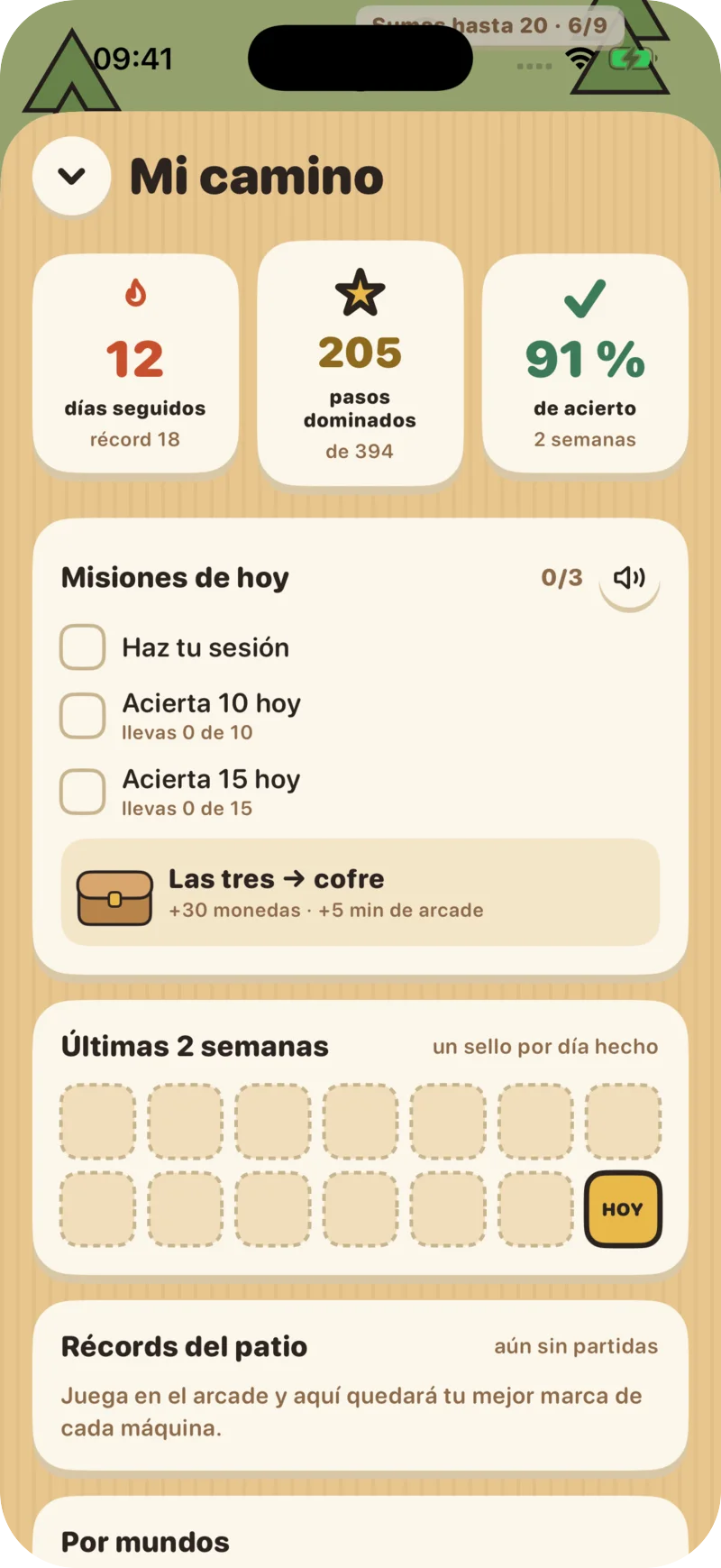
My path
Streak, steps mastered, accuracy over the last two weeks and arcade records.
Protected adult area
“How they learn” opens with the device passcode or biometrics, not from the child’s profile.
Minimal data
We only ask for month and year of birth, never the day. An adult accepts the privacy notice before handwriting is used.
Price
One-week free trial
Try it free for one week. After that, the family subscription costs €5.99 a month or €35 a year in Spain —each store adjusts the price to your country— and you subscribe and cancel through the App Store or Google Play.
Frequently asked questions
Which devices does it work on?
iPhone, iPad and Android phones and tablets. A finger is enough to write; a stylus is even more comfortable.
What ages is it for?
Ages 5 to 18. Age sets the starting point and the world; after that they progress by what they master.
Does it help if my child has dyslexia, ADHD or dyscalculia?
Yes. In “How they learn” you choose the adjustments they need and can change them at any time. The app does not diagnose or replace a professional assessment.
What if their school already uses MathCracks?
It is the same app. A school account opens their year and class assignments; a family account opens MathCracks at Home.
Are there ads, or can coins be bought?
No. There are no ads and no chat with strangers, and coins and rewards cannot be bought: they are only earned by practicing.
Download it and start today
Create the family account from the app itself in two minutes.
Contact usMathCracks Education System
Choose your starting point
Six products, each with its own audience and way to get started.

For schools and their students
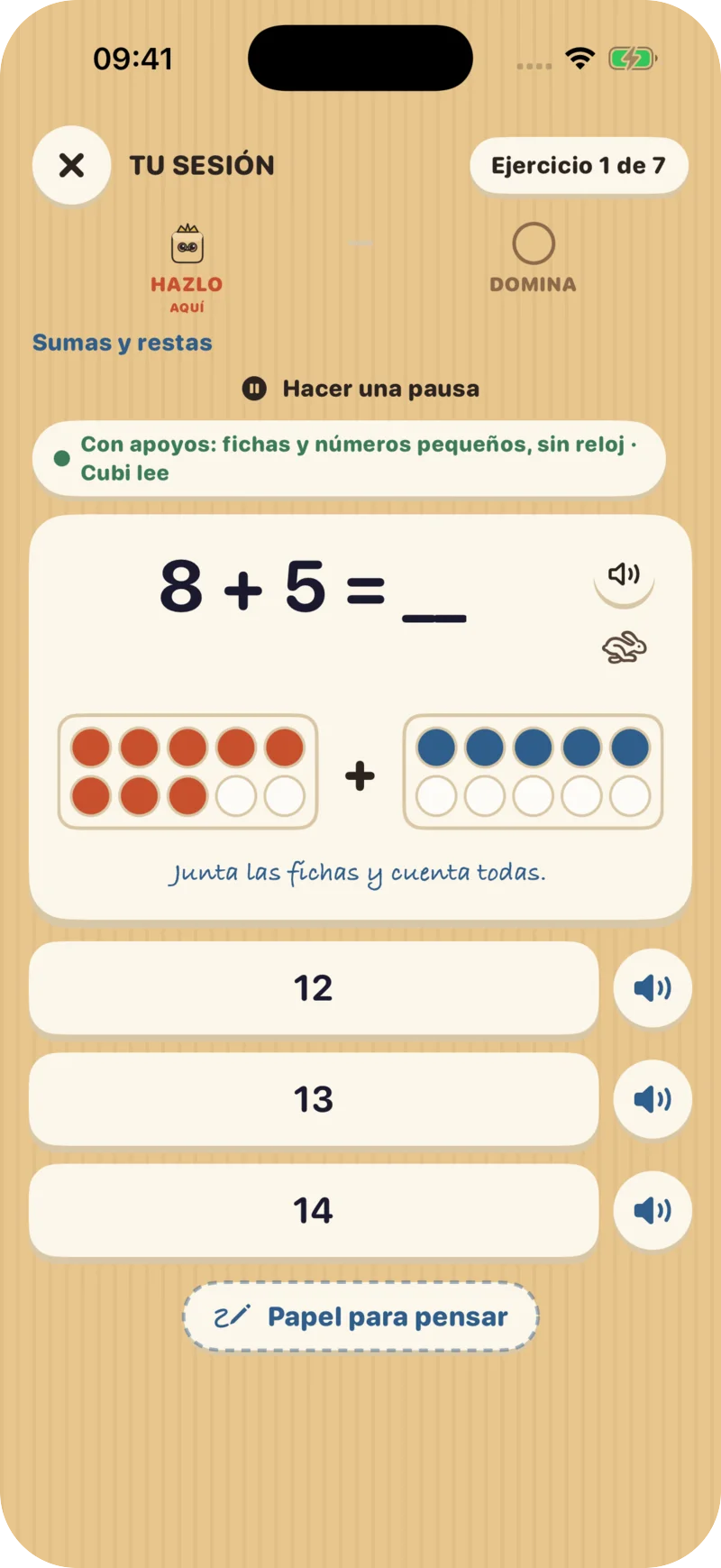
MathCracks Mobile App
Adaptive practice to work on student difficulties and track progress, connected to support from their school.
Explore this product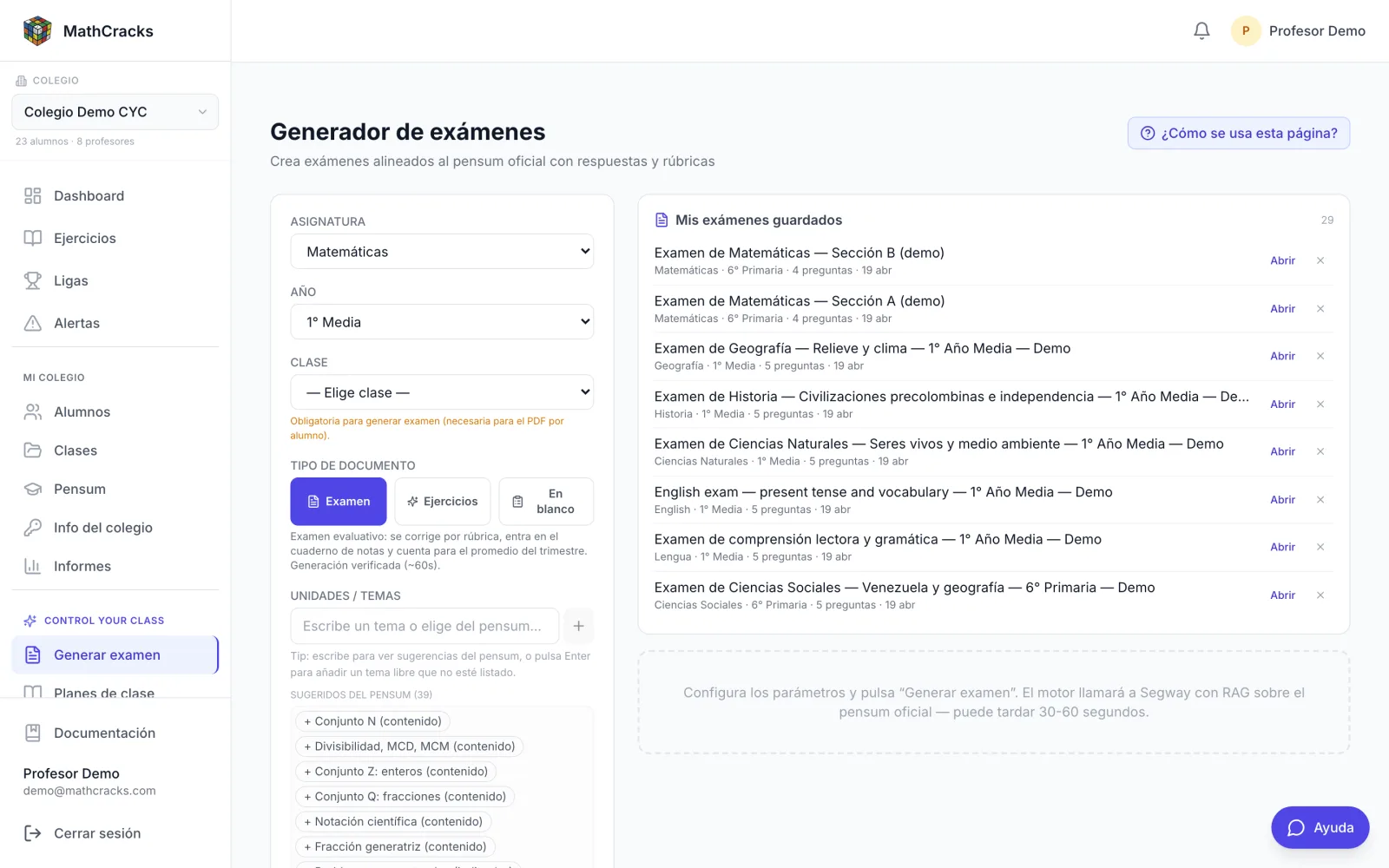
For teaching teams
Control Your Class (CYC)
Error patterns, understanding maps, data and alerts to decide what to explain again, who needs help and how to follow their progress.
Explore this product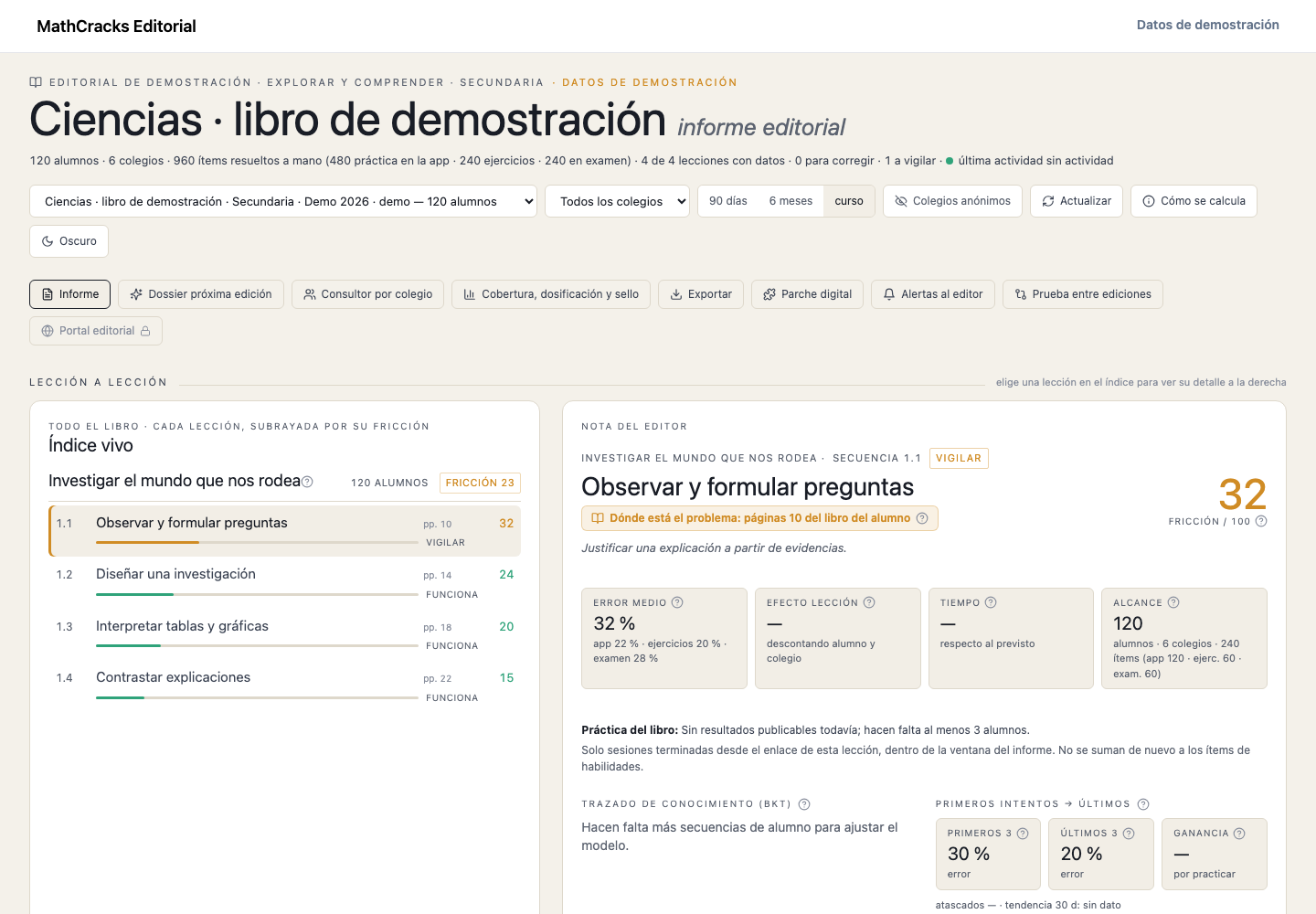
For publishers
MathCracks Editorial
Data and signals about textbook lessons to interpret difficulties and guide content improvements.
Explore this product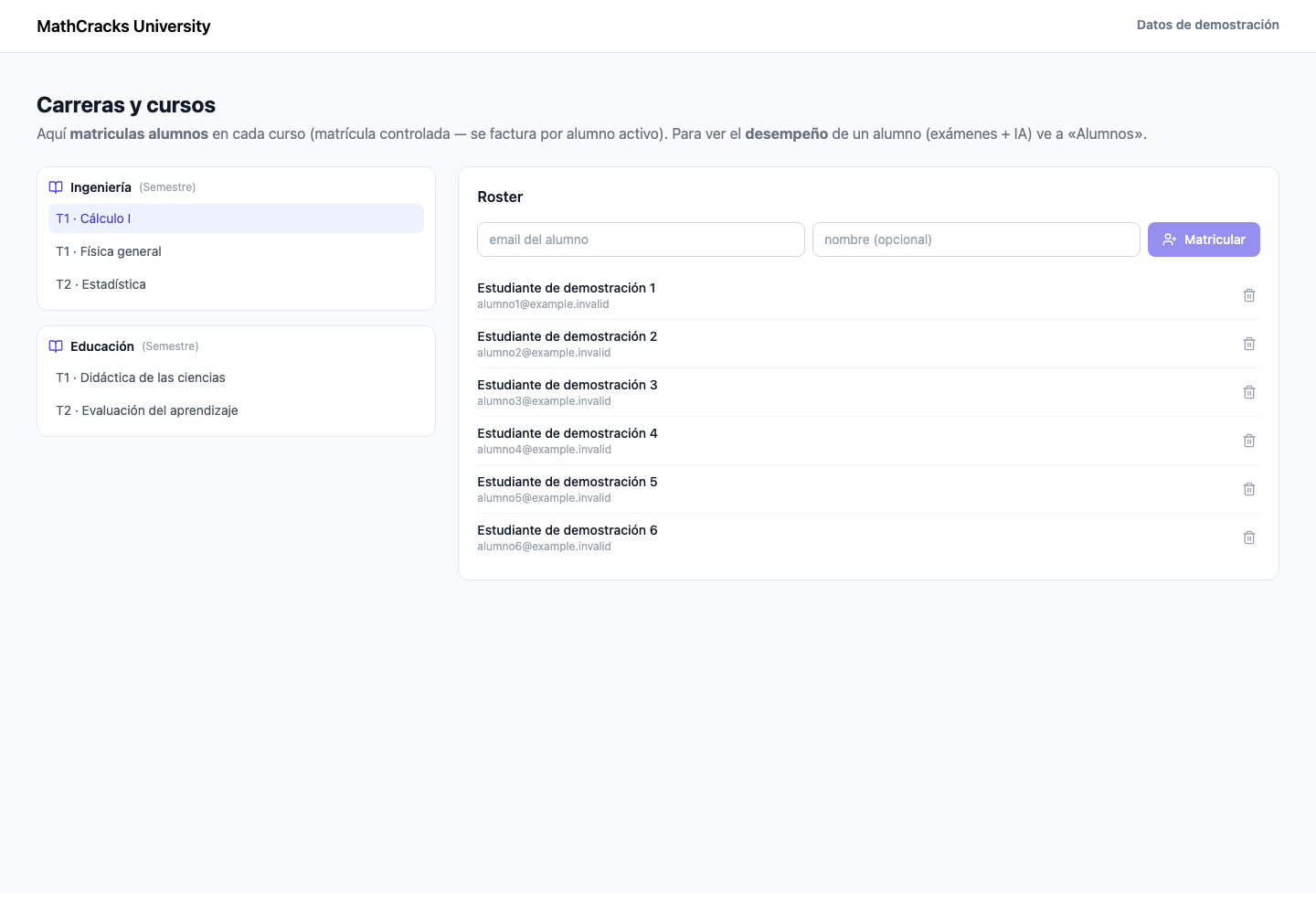
For universities
MathCracks University
Subject-based work and institutional follow-up to support learning in each degree program.
Explore this product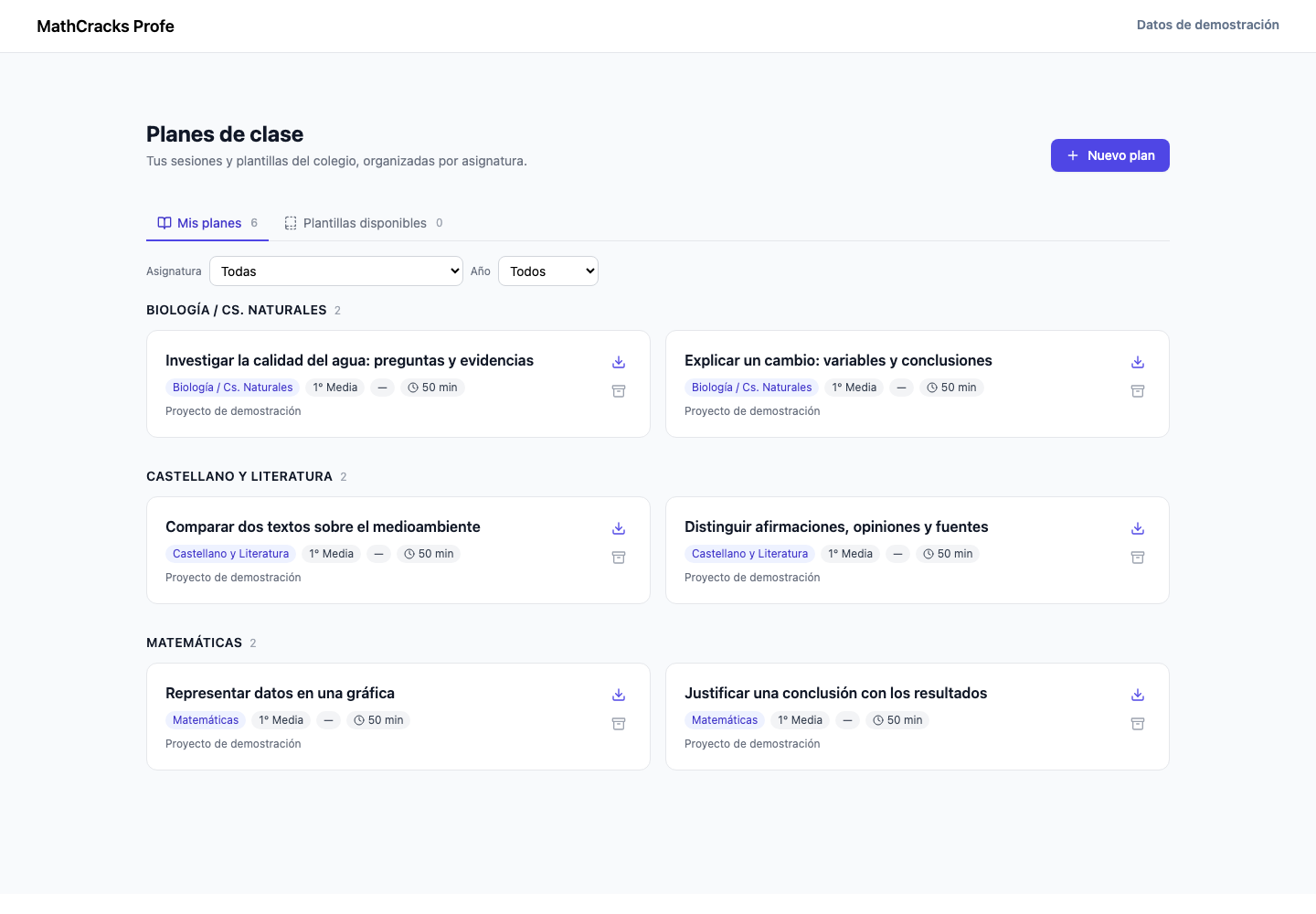
For independent teachers
MathCracks Profe
A free personal workspace for secondary teachers in Spain: regional criteria, assignments graded by criterion and an Excel summary.
Explore this productFor students and families
MathCracks en Casa
The app for families: a short daily session with Cubi, handwriting and support for dyslexia, ADHD or dyscalculia. Ages 5 to 18.
Explore this productTools across subjects. Adaptive practice and available content depend on each product and its configuration.
Product interface with demonstration data; these are not customer outcomes.